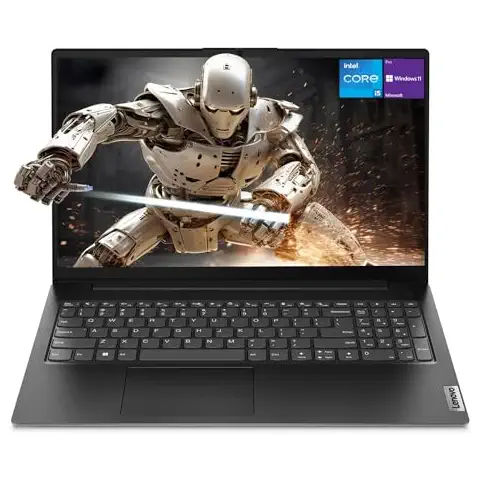
A Guide to Selecting the Best USB-C Laptops
Introduction
The world of laptops is constantly evolving, and with the introduction of USB-C technology, choosing the right laptop has become even more challenging. USB-C is the latest type of USB connector that offers faster data transfer and charging capabilities. In this guide, we will help you choose the best USB-C laptop that suits your needs.
Consider Your Usage
Before choosing a USB-C laptop, it's crucial to consider your usage. Are you a graphic designer, a gamer, or a student who needs a laptop for everyday use? Knowing your usage will help you narrow down your options and choose a laptop that meets your requirements.
Operating System
The operating system of a laptop plays a significant role in its performance. Windows is the most popular operating system used in laptops, but Apple's macOS is also a popular choice. It's essential to choose an operating system that you're comfortable with and that meets your needs.
Processor
The processor is the brain of a laptop, and it's essential to choose a processor that can handle your workload. Intel and AMD are the most popular processor brands, and they offer a range of processors for different usage levels. If you're a heavy user, then you should consider a laptop with a powerful processor.
RAM
Random Access Memory (RAM) is critical in a laptop's performance. It's the memory that the laptop uses to run applications and programs. The more RAM a laptop has, the better its performance will be. If you're a heavy user, then consider a laptop with at least 8GB of RAM.
Storage
Storage is the space where the laptop stores its data. There are two types of storage, Solid State Drive (SSD) and Hard Disk Drive (HDD). SSDs are faster and more expensive than HDDs, but they offer better performance. If you're a heavy user, then consider a laptop with at least 256GB of SSD storage.
Display
The display is an essential part of a laptop, and it's crucial to choose a laptop with a good display. A good display should have a high resolution, good color accuracy, and brightness. If you're a graphic designer, then consider a laptop with a high-resolution display.
Brand
When it comes to choosing a brand, it's essential to choose a reliable brand that offers good customer support. Brands like Apple, Dell, Lenovo, and HP are popular choices, and they offer a range of laptops for different usage levels.
Conclusion
Choosing the right USB-C laptop can be a challenging task, but with the right information, you can make an informed decision. Consider your usage, operating system, processor, RAM, storage, display, and brand before making a purchase. With the right laptop, you can enhance your productivity and make your work easier.
Frequently Asked Questions (FAQs)
1. Do laptops have USB-C?
USB-C has taken over at work, at home and at school. While many iPhone and iPad models stick with Apple's proprietary Lightning connector, USB-C is now part and parcel of most laptops, phones and tablets made today. Even the latest MacBooks and Chromebooks are part of the movement to USB-C.
2. What is a USB-C laptop?
USB-C features a new, smaller connector shape that's reversible so it's easier to plug in. USB-C cables can carry significantly more power, so they can be used to charge larger devices like laptops. They also offer up to double the transfer speed of USB 3 at 10 Gbps.
3. Can laptops charge with USB-C?
If your laptop has a built-in USB-C port, then you'll be able to charge your laptop via a USB-C cable - you just have to make sure the cable has a plug adapter (the box-shaped plug at the end of your phone charger than can plug into an outlet). Some laptops, in fact, use a USB-C cable as the primary charger.