Best Graphics Tablets of 2026

Mike Davis Avatar
Mike Davis
Last Updated: Jan 13, 2026

* We independently evaluate all recommended products and services. If you click on links we provide, we may receive compensation.

Graphics tablets are an essential tool for digital artists, photographers and designers. They offer a more natural experience than using a mouse or trackpad, allowing users to draw and paint with precision and control. Graphics tablets come in a range of sizes and styles, from compact and portable options to larger, more advanced models. They connect to a computer or laptop via USB or Bluetooth and often come with a stylus for a more accurate drawing experience. With a graphics tablet, artists can create stunning digital art, edit photos with ease, and design intricate graphics with precision.

At a Glance: Our Top Picks

HUION Inspiroy H1060P Graphics Drawing Tablet Cover #TOP 1
HUION Inspiroy H1060P Graphics Drawing Tablet
ftb score rating icon 9.8
Wacom Intuos Medium Bluetooth Tablet Cover #TOP 2
Wacom Intuos Medium Bluetooth Tablet
ftb score rating icon 9.7
HUION KAMVAS Pro 16 Graphics Tablet Cover #TOP 3
HUION KAMVAS Pro 16 Graphics Tablet
ftb score rating icon 9.5

Top 10 Graphics Tablets

#TOP 1

HUION Inspiroy H1060P Graphics Drawing Tablet

H1060P
black
Large
HUION Inspiroy H1060P Graphics Drawing Tablet Cover
HUION Inspiroy H1060P Graphics Drawing Tablet with 8192 Pressure Sensitivity Battery-Free Stylus and 12 Customized Hot Keys, 10 x 6.25 inches Digital Art Tablet for Mac, Windows PC and Android

The HUION Inspiroy H1060P Graphics Drawing Tablet comes with a 10 x 6.25 inches working area, a 10mm slim structure, and a minimalist design. It features a battery-free stylus with tilt function, 12 programmable press keys, and 16 programmable soft keys. The tablet is compatible with Windows, macOS, Android, and Linux. The symmetrical design is suitable for both right and left-handed users.

What We Like
Large drawing area
Affordable price
Good pen pressure sensitivity
Easy device connectivity
No battery required for pen
What We Don't Like
Minor driver setup confusion
Buttons slightly loud or stiff
#TOP 2

Wacom Intuos Medium Bluetooth Tablet

CTL6100WLK0
Black
Medium, Wireless
Wacom Intuos Medium Bluetooth Tablet Cover
Wacom Intuos Medium Bluetooth Graphics Drawing Tablet, Portable for Teachers, Students and Creators, 4 Customizable ExpressKeys, Compatible with Chromebook Mac OS Android and Windows - Black

The Wacom Intuos Bluetooth Tablet lets you create with great precision and control, thanks to its battery-free pen technology that feels just like writing on paper. You can use it with any software, making it easy to draw, paint, edit photos and videos, or design right away. With wireless Bluetooth connectivity, you have the freedom to work anywhere—whether at your desk, sofa, classroom, or outdoors. Plus, when you register your tablet, you get access to creative software and online training, helping you improve your skills and make the most of your device.

What We Like
High pressure sensitivity
Easy setup and compatibility
Compact and portable design
Customizable ExpressKeys
Free bundled creative software
What We Don't Like
MicroUSB instead of USB-C
ExpressKeys slightly thin and chunky
#TOP 3

HUION KAMVAS Pro 16 Graphics Tablet

Kamvas Pro 16
Black
15.6inch
HUION KAMVAS Pro 16 Graphics Tablet Cover
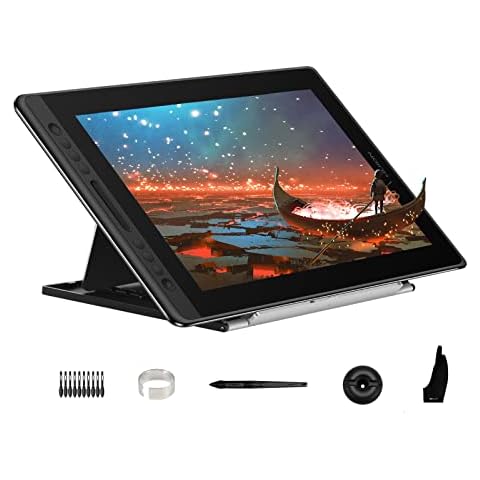
HUION KAMVAS Pro 16 Drawing Tablet with Screen, 15.6 inch Pen Display Anti-Glare Glass 6 Shortcut Keys Adjustable Stand, Graphics Tablet for Drawing, Writing, Design, Work with Windows, Mac and Linux

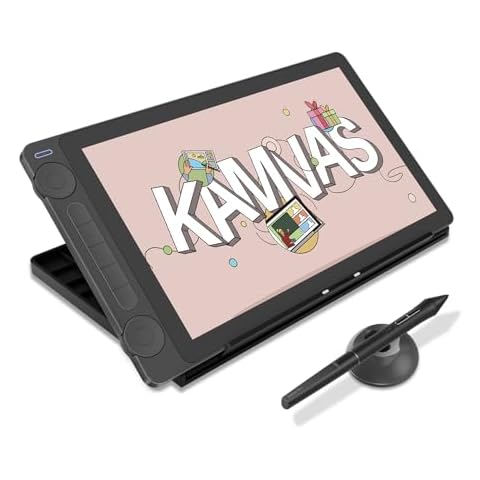
The Huion Kamvas Pro 16 graphics drawing tablet features a 15.6-inch full-laminated screen and anti-glare glass for immersive viewing with brilliant, true-to-life colors. The tablet has optimized workflow with customized express keys and a touch bar, and comes with an adjustable stand to reduce tension on your neck, shoulder, and back. The advanced pen is battery-free and provides accurate and responsive performance with 60° tilt recognition. This drawing tablet can be easily connected with the 3-in-1 USB-C cable and is compatible with Windows, Mac, and Linux.

What We Like
Affordable price
Good build quality
Customizable express keys
High resolution screen
Responsive drawing experience
What We Don't Like
Minor pen pressure adjustment needed
Short connection cables
#TOP 4

HUION Inspiroy H640P Graphics Tablet

H640P
Black
Small
HUION Inspiroy H640P Graphics Tablet Cover
HUION Inspiroy H640P Drawing Tablet, 6x4 inch Digital Art with Battery-Free Stylus, 8192 Pen Pressure, 6 Hot Keys, Graphics Tablet for Drawing, Writing, Design, Teaching, Work with Mac, PC & Mobile

The HUION Inspiroy H640P Graphics Tablet is an easy-to-use pen tablet, perfect for kids, beginners, teachers, and remote workers. It is compatible with Linux, Mac, Windows, Android, and most design programs. The digital pen PW100 features 8192 levels of pressure sensitivity, 5080 LPI pen resolution, and virtually no lag, providing you with ultimate precision and control. With 6 programmable express keys and a compact size of 6.3x3.9 inches, it offers a perfect creative space for limited desktop areas and is always ready for your creation, wherever you are.

What We Like
Affordable price
Good build quality
Portable and lightweight
Responsive pen with extra nibs
Easy setup and compatibility
What We Don't Like
Micro-USB port feels loose
Software could be better
#TOP 5

Simbans PicassoTab Drawing Tablet with Screen and 4 Bonus Items

4GB + 64GB
Simbans PicassoTab Drawing Tablet with Screen and 4 Bonus Items Cover
PicassoTab X Drawing Tablet • No Computer Needed • Drawing Apps & Tutorials • 4 Bonus Items • Stylus Pen • Portable • Standalone • 10 Inch Screen • Best Gift for Beginner Digital Graphic Artist • PCX

The Simbans PicassoTab is an affordable standalone art tablet that comes with a pen and pre-installed drawing and animation apps for beginners. It features a clear 10-inch IPS HD screen, a large 64GB disk, and a powerful MediaTek Quad-core processor that boosts multitasking abilities. The tablet also includes 4 bonus items worth $50, such as a tablet case, drawing glove, universal power adapter, and pre-installed screen protector. With WiFi, micro HDMI port, GPS, and USB type-c port, you can enjoy entertainment and connectivity wherever you are. The tablet is certified by GMS, FCC, and CE standards, and comes with a 1-year warranty and excellent customer service.

What We Like
Excellent customer support
Affordable price
Preloaded drawing software
Pressure-sensitive stylus
Easy to use
What We Don't Like
Occasional charging issues
Stylus tip lacks precision
#TOP 6

HUION Kamvas 13 Gen 3 Drawing Tablet

GS1333
Black
HUION Kamvas 13 Gen 3 Drawing Tablet Cover
HUION Kamvas 13 (Gen 3) Drawing Tablet with Screen,13.3" Full-Laminated Art Tablet with Anti-Sparkle Canvas Glass 2.0, 99% sRGB, PenTech 4.0, 16384 Pen Pressure, Dual Dial for PC, Mac, Android, Black

The HUION Kamvas 13 Tablet offers a vibrant 13.3-inch fully laminated screen with anti-glare Canvas Glass 2.0, helping you draw with less reflection and better precision. Its advanced PenTech 4.0 technology gives you a smooth, natural feel thanks to 16,384 pressure sensitivity levels and a lightweight pen, making your strokes more accurate and expressive. You’ll also appreciate the improved color accuracy, which ensures your artwork looks true to life. Plus, the tablet comes with a factory color calibration report, so you can trust the colors you see on the screen are consistent and reliable for your creative projects.

What We Like
Vibrant, sharp display
Natural pen pressure sensitivity
Easy setup process
Responsive customer support
Customizable shortcut buttons
What We Don't Like
Minor driver issues
Brightness could be improved
#TOP 7

XP-PEN Artist 13.3 Pro Drawing Tablet

Artist 13.3Pro
Black / White
13.3 Inch
XP-PEN Artist 13.3 Pro Drawing Tablet Cover
XPPen Drawing Tablet with Screen Full-Laminated Graphics Drawing Monitor Artist13.3 Pro Graphics Tablet with Adjustable Stand and 8 Shortcut Keys (8192 Levels Pen Pressure, 123% sRGB)

The XP-PEN Artist 13.3 Pro is a graphics tablet with a fully-laminated screen that combines the glass and screen for a distraction-free working environment. It supports up to 60 degrees of tilt function, allowing for smoother and more natural transitions between lines and strokes. The 13.3-inch FHD display has a superb color accuracy of 88% NTSC (Adobe RGB≧91%,sRGB≧123%) with a 178-degree viewing angle, delivering rich colors, vivid images, and dazzling details. The sleek Red Dial interface and 8 fully customizable shortcut keys let you capture and express your ideas faster and more easily. Compatible with various software, such as Photoshop, Illustrator, SAI, and more.

What We Like
Excellent touch sensitivity
Easy to use
Useful express keys and wheels
Great color accuracy
High value for price
What We Don't Like
Potential for screen glare
May scratch without protector
#TOP 8

Wacom MovinkPad 11 Android Drawing Tablet

MovinkPad 11 Android All-in-One
Light Gray
Wacom MovinkPad 11 Android Drawing Tablet Cover
Wacom MovinkPad 11, Android Mobile Drawing Tablet, 11" with Battery-Free Slim Pro Pen 3, 8GB RAM/128 GB Storage, Quick Draw Feature, Anti-Glare Etched Glass Matte Screen, No Computer Needed

The Wacom MovinkPad Tablet offers an all-in-one design with an 11.45-inch anti-glare screen and Android 14, so you can draw directly on the tablet without needing a computer. It comes with 8GB of memory and 128GB of storage, giving you plenty of space and smooth performance for your creative work. The Quick Draw feature lets you start sketching instantly by tapping and holding the pen on the screen, so your ideas are never lost. The included slim, battery-free Pro Pen 3 provides excellent control with 8,192 pressure levels and three customizable buttons, making your drawing experience precise and comfortable wherever you go.

What We Like
Exceptional drawing experience
Lightweight and portable design
High-quality, bright matte screen
Excellent pen sensitivity
Strong battery life
What We Don't Like
Limited software customization
Minor accessory omissions
#TOP 9

PicassoTab X11 Drawing Tablet

PicassoTab X11 Drawing Tablet Cover
X11 Drawing Tablet • PicassoTab 11" Screen • Complete Learning Package [Premium Drawing Apps & Tutorials, Stylus Pen] No Computer Needed • Standalone • Best Gift for Beginner Graphics Artist - X11

The PicassoTab X11 Tablet is designed to help you start your digital art journey with ease. It comes with a full drawing package, including a precision stylus and access to top drawing and animation apps, so you can create right away. If you're new to digital art, the included Artixo app offers step-by-step tutorials to guide you through learning and improving your skills. The tablet’s 11-inch Full HD screen provides a smooth, paper-like drawing experience with anti-glare technology, making your artwork more detailed and comfortable to create. Plus, with 6GB RAM and an octa-core processor, it handles multitasking smoothly, letting you switch between apps or store your creations without hassle.

What We Like
Responsive drawing performance
Affordable price
Good customer service
Large, quality display
Beginner-friendly features
What We Don't Like
Minor stylus connectivity issues
Battery drains faster with heavy use
#TOP 10

XPPen 12.2 Inch Drawing Tablet

Magic Drawing Pad
Purple
279 x 192 x 6.9 mm
XPPen 12.2 Inch Drawing Tablet Cover
XPPen Magic Drawing Pad 12.2 Inch Standalone Drawing Tablet No Computer Needed with 16384 Pressure Levels X3 Pro Slim Stylus Tilt Support Paper-Like Screen 8GB + 256GB for Digital Drawing Artists

The XPPen Drawing Tablet offers an impressive 16K pressure-sensitive stylus, allowing you to create with remarkable precision and fluidity. You’ll appreciate the natural feel of drawing on its 12.2-inch screen, which mimics paper and delivers vibrant colors. Designed for eye comfort, it features a TÜV Rheinland certified display that reduces strain, making long creative sessions more enjoyable. With 8 GB of RAM and 256 GB of storage, this tablet ensures smooth performance and ample space for your artistic work. You can easily capture moments with its dual-camera setup, making it a versatile tool for artists.

What We Like
Matte textured screen
Responsive, lag-free pen
Standalone Android functionality
Excellent value for artists
Long battery life
What We Don't Like
Android OS not upgradable
Average camera quality
Buying Guide Image

Find Your Fit: How to Buy the Right Graphics Tablets

What is a Graphics Tablet?

A graphics tablet, also known as a digitizing tablet or a drawing tablet, is a computer input device that allows users to draw, sketch, and paint on a computer screen with a stylus. It is an indispensable tool for artists, designers, and illustrators, as it provides a more natural and intuitive way of creating digital art compared to using a mouse or a trackpad.

Choosing the Right Graphics Tablet

With so many options available on the market, choosing the right graphics tablet can be overwhelming. Here are a few things to consider before making a decision:

Size and Weight

The size and weight of a graphics tablet should be appropriate for your needs and comfortable to use. Larger tablets offer more workspace, but they can be heavy and difficult to transport. Smaller tablets, on the other hand, are more portable, but they may not have enough workspace for your projects. Consider the size and weight of the tablet and the size of your workspace before making a decision.

Pressure Sensitivity

One of the most important features of a graphics tablet is its pressure sensitivity, which determines how accurately the tablet can capture the pressure and movement of the stylus. Higher pressure sensitivity allows for more precise and nuanced brush strokes, while lower pressure sensitivity may result in less detailed and less realistic drawings. Consider the level of precision you need for your work and choose a tablet with a suitable level of pressure sensitivity.

Connection Type

Graphics tablets can be connected to a computer in several ways, such as USB, Bluetooth, or WiFi. USB tablets are the most common and offer the fastest and most stable connection, but they may require additional adapters or ports on your computer. Bluetooth and WiFi tablets, on the other hand, offer more flexibility and convenience, but they may be subject to interference and lag. Consider the connection type and compatibility with your computer before making a decision.

Additional Features

Some graphics tablets come with additional features, such as a built-in display, touch sensitivity, or programmable buttons. A built-in display allows you to see your drawing on the tablet itself, which can be useful for tracing or referencing images. Touch sensitivity allows you to use gestures and swipes on the tablet surface, which can be useful for zooming and panning. Programmable buttons allow you to customize the functions of the buttons on the stylus or the tablet itself, which can save time and improve workflow. Consider the additional features that you need and choose a tablet that offers them.

Brand and Price

Finally, consider the brand and price of the graphics tablet. Some popular brands include Wacom, Huion, and XP-Pen, which offer a wide range of tablets with different features and price points. While it's tempting to go for the cheapest option, keep in mind that quality and performance may vary, and it's worth investing in a higher-quality and more expensive tablet if it meets your needs and lasts longer.

Conclusion

Choosing the right graphics tablet requires some research and consideration of your needs and preferences. Consider the size and weight, pressure sensitivity, connection type, additional features, brand, and price of the tablet, and choose a tablet that meets your needs and fits your budget. With the right graphics tablet, you can unleash your creativity and produce stunning digital art.

Frequently Asked Questions (FAQs)

1. What is a graphics tablet used for?

A graphics tablet, also known as a drawing tablet, is used as a computer input device for creating digital images, animations, and graphics. It allows users to hand-draw using a stylus, similar to using a pencil on paper. It is commonly used by artists, designers, and animators to create digital artwork.

2. What is the difference between a drawing tablet and a graphic tablet?

The main difference between a drawing tablet and a graphics tablet is the screen quality. Drawing tablets come in different sizes, with some having better screen quality than graphic tablets. This means that drawing tablets can display more detail and have more precise colors, making them ideal for producing high-quality artwork.

3. Can you use a graphic tablet without a computer?

Yes, it is possible to use a graphic tablet without a computer. Some graphic tablets are standalone devices that can run drawing apps and software, allowing you to use them on the go. Examples of standalone graphic tablets include the iPad Pro, Surface Pro, Samsung Galaxy Tab, and Wacom Mobile Studio Pro.

4. Do drawing tablets need a PC?

No, drawing tablets do not necessarily need a PC. There are standalone drawing tablets available that can run drawing apps and software without the need for a computer. These standalone tablets offer more portability and convenience. Some popular options include the iPad Pro, Surface Pro, Samsung Galaxy Tab, and Wacom Mobile Studio Pro.

Editor's Notes

During our graphics tablet research, we found 24 graphics tablet products and shortlisted 10 quality products. We collected and analyzed 311,428 customer reviews through our big data system to write the graphics tablets list. We found that most customers choose graphics tablets with an average price of $230.44.

The graphics tablets are available for purchase. We have researched hundreds of brands and picked the top brands of graphics tablets, including HUION, Wacom, Simbans, XP-Pen, PicassoTab. The seller of top 1 product has received honest feedback from 409 consumers with an average rating of 4.9.

Written by
Mike Davis Avatar

Mike Davis is a professionally trained electrician with six years of working experience in the electronics industry. He has written an array of web and mobile-based articles for e-magazines and blogs. He loves trying out some novel and popular gadgets and his expertise is in the areas of electronics and computers which is built over many years of working and personal experiences.

Graphics Tablets Comparison Table

#TOP1
#TOP2
#TOP3
#TOP4
#TOP5
#TOP6
#TOP7
#TOP8
#TOP9
#TOP10
Brand HUION Wacom HUION HUION Simbans HUION XP-Pen Wacom PicassoTab XP-Pen
Connectivity Technology USB Bluetooth, USB-A USB USB Wi-Fi 3-in-1 HDMI, Full-featured USB-C USB Bluetooth Wi-Fi Bluetooth 5.1, USB, Wi-Fi 802.11 a/b/g/n/ac (2x2), WiFi 2.4GHz & 5GHz
Item Weight 1.69 pounds - 2.98 pounds 9.6 ounces 3.1 pounds 1.91 pounds 4.4 pounds 1.3 pounds 3.69 pounds 1.3 pounds
Pressure Sensitivity 8192 Levels 4096 Levels 8192 Levels 8192 Levels 1024 Levels 8192 Levels 8192 Levels 8192 Levels 4096 Levels -
Operating System Android 6.0 or later, Linux(Ubuntu), Mac OS 10.12 or later, Window 7 or later Compatibility with Windows 7 or later/OS X 10.11 or later Linux(Ubuntu), Mac OS 10.12 and above, Windows 7 and above Android 6.0 and above, Linux(Ubuntu), Mac OS 10.12 and above, Windows 7 and above Android Marshmallow Android(USB3.1 DP1.2 or later), Linux(Ubuntu 20.04 LTS), Windows 7 or later,, macOS 10.12 or later, - Android 14 Android 14 Android 14
Special Feature - Bluetooth - Android Device Supported, Extra-Slim, Portable, Programmable Press Key Front Facing Camera, Multi-Touch Screen, Rear Facing Camera, Stylus Pen 5 press keys+ 2 Dial, Canvas Glass 2.0, Full Lamination, PenTech 4.0 Portable Anti-Glare Glass, Front Facing Camera, Multi-Touch Screen, Rear Facing Camera Front Facing Camera, Multi-Touch Screen, Rear Facing Camera, Stylus Pen 16384 pressure levels X3 Pro stylus, Anti-Glare Glass, Front Facing Camera, Headphone Jack, Rear Facing Camera
FTB Score
ftb score rating icon 9.8
ftb score rating icon 9.7
ftb score rating icon 9.5
ftb score rating icon 9.3
ftb score rating icon 9.2
ftb score rating icon 9.0
ftb score rating icon 8.9
ftb score rating icon 8.7
ftb score rating icon 8.6
Where to Buy